14-day free trial · privacy-first web analytics
Know your traffic.
Not your visitors.
See how many people visit your site, where they come from, and what they read. No cookies, and no tracking of anyone.

How it works
Up and running in minutes
01Install in one click
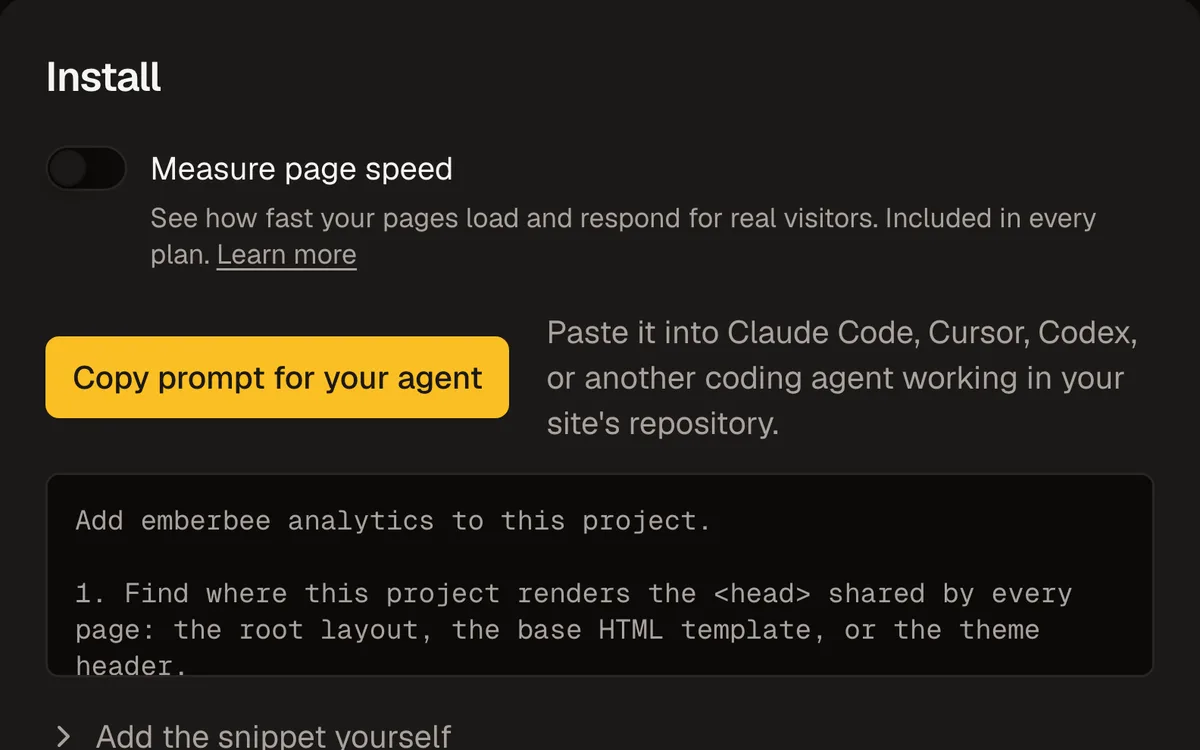
Hand one prompt to your coding agent, or paste one line into your site.
02Watch your dashboard fill up
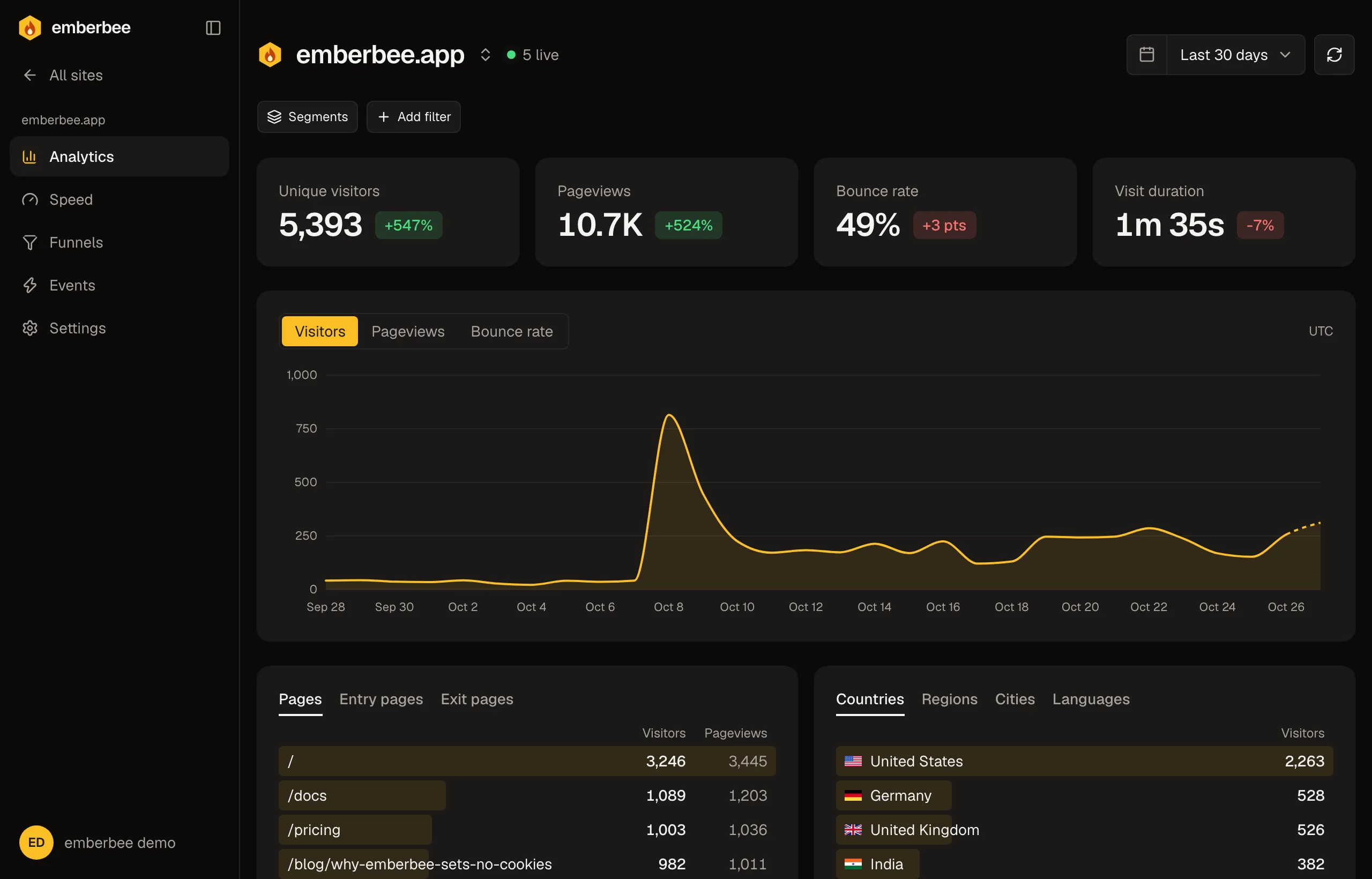
Visitors show up as soon as they land. There is nothing to set up.
03See what's working
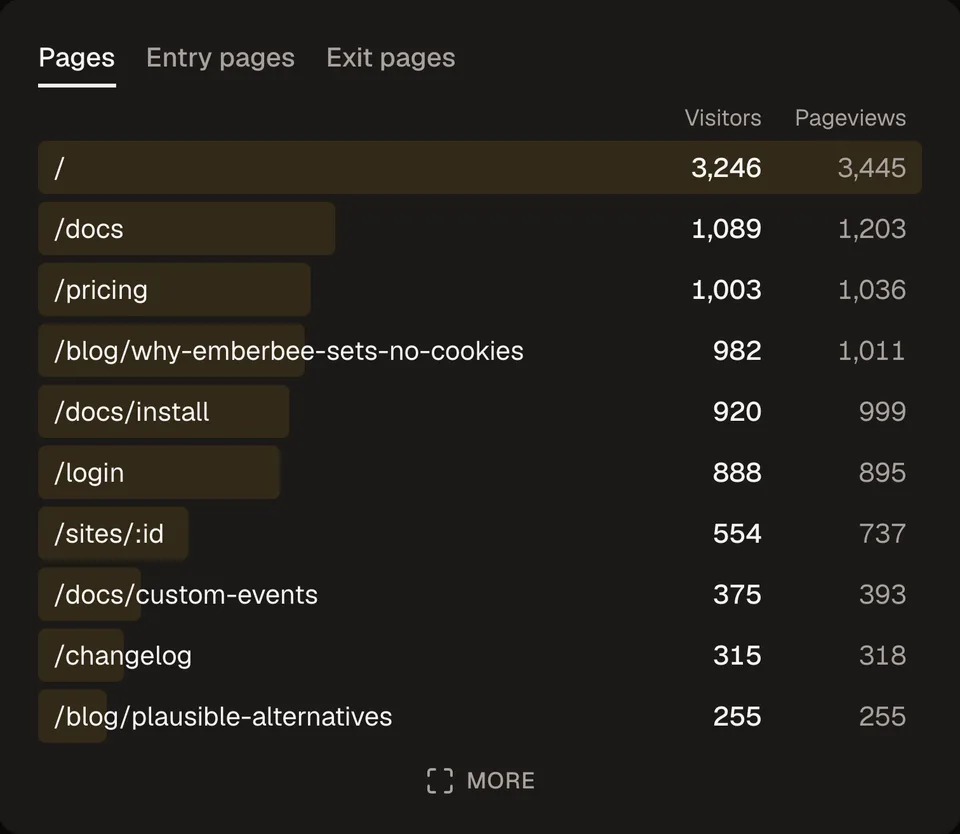
Find the pages people read most, where they come from, and which campaigns bring them in.


Install
One click to install.
Copy the prompt into Claude Code, Cursor, or Codex, and your agent adds emberbee to your site. Rather do it by hand? It is one line of code.
- Works with any site or framework
- Counts page changes in single-page apps on its own
- Under 1.5 KB, so your site stays fast
Agents · prompt
Add emberbee analytics to this project.

1. Find where this project renders the <head> shared by every page.
2. Add this script tag there, once, so it loads on every page:
…
index.html
1<head>2 <script3 defer4 src="https://emberbee.app/script.js"5 data-site="st_894bdf7b16e9e0ec"6 ></script>7</head>
Pages
See which pages people read.
Every page on your site, ranked by visitors, and updated as people arrive. See where visits start and where they end.
- Visitors and views for every page
- The pages people land on and leave from
- Pages like /users/123 grouped into one row
Events
Count what people do.
Track signups, purchases, or any click with one line of code. Add details like the plan someone picked, and see which ones win.
- One line of code per event
- Each event broken down by its details
- A trend for every event over time

Goals and funnels
See where people drop off.
Set a goal for the things that matter, like a signup, and see how many visitors get there. Line up the steps before it to find where people give up.
- Goals for any page or event
- A conversion rate for every goal
- Funnels of up to 8 steps

Privacy
Counts visits, not people.
emberbee tells you how your site is doing without learning who your visitors are. It sets no cookies, so it adds nothing to your cookie banner.
- No cookies on your visitors' devices
- No IP addresses stored
- No tracking across other websites
What you see
- The pages people view
- Where they came from
- Their country and device
Never kept
- Cookies
- IP addresses
- Profiles that follow people to other websites
Speed
See how fast your site feels.
Find the pages that load slowly, lag when tapped, or jump around, measured on your real visitors' phones and laptops. More about Speed
- Included in every plan, for every site
- On from the start, with nothing to add
- Doesn't count toward your monthly events

AI assistants
Ask how your site is doing.
Connect emberbee to Claude, ChatGPT, or Cursor and ask about your traffic in plain words. Answers come from your real numbers, so you don't have to open the dashboard. Connect an assistant
- Works with Claude, ChatGPT, Cursor, and more
- Ask for help setting up a new site
- Read-only, so it can't change anything
Claude
How did my site do last week?
Checked emberbee
1,284 visitors, up 18% on the week before. Most came from Google and Hacker News. /pricing was the top page after the home page.
The dashboard
Everything on one page
No reports to build. Pick a range and read it.
Any date range, compared
Live visitors
Track what matters
Won't slow your site
Visits, bounce rate, and time on site
Real people only
Every breakdown, one click away
Start seeing your traffic today.
Everything on this page is the real app, tracking this site.
Free for 14 days. No card needed.